Choose where to start
Ask your own question by text or live voice. For a ready-made starting point, browse the School Library and open an exhibit with its original question.
Bring a question like this to an AI professor, or choose a finished exhibit from the School Library. Explore it in a desktop or mobile browser, or point to its parts with your hands in AR on Meta Quest 3.
The playable build is invitation-only. Anyone can watch the demo or preview two browser lessons.
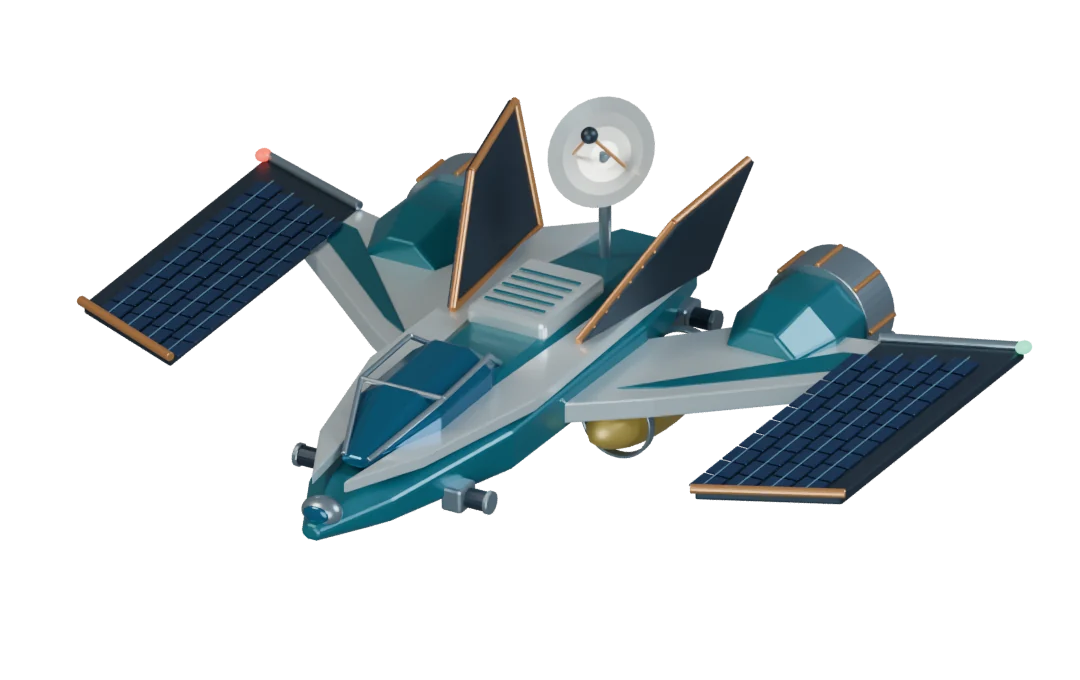
A fictional solar-electric spacecraft. Explore two questions from its lesson.
They turn sunlight into electricity. On this ship, that electricity powers the thrusters.
Xenon is the propellant. The thrusters accelerate charged xenon out the back, pushing the ship forward.
Two short, silent recordings from School Library lessons in the desktop browser.
The crew turns a shaft beneath the aerial screw. The professor’s purple pointer picks out the linen sail that winds around it.
A red-and-blue magnet turns inside a fixed copper coil in Faraday’s generator. Follow the wire from the coil to the lamp on the right.
In the Quest demo, a learner asks for a ship with solar wings and an ion engine. Here’s how the question becomes a lesson.
Ask your own question by text or live voice. For a ready-made starting point, browse the School Library and open an exhibit with its original question.
While a new model is being built, the professor can ask what you expect to see. Once it arrives, turn it around, select a part, and ask how it works.
Explain what you notice in your own words. The lesson tracks objectives across the conversation, awards XP, and offers follow-up questions based on what you explored.
Professors are AI portrayals inspired by historical figures, not authentic voices or recordings. The project is not affiliated with or endorsed by those people, their estates, or associated institutions. AI explanations and generated exhibits can need correction. Learning outcomes have not been independently established. Exhibit preparation takes time; this is a working prototype.
When a learner requests a new exhibit, our dynamic creation platform sends the design to Blender and brings the finished model into the same lesson.
The professor can respond to a selected part. On a compatible Quest headset, a saved lesson can also restore the exhibit’s position when it recognizes the room.
Explore the learning experienceWe submitted the working build to the Meta VR Start Developer Competition in November 2026. The public demo follows one learner on Quest. Join the waitlist for future invitations and project updates.
View the competition entryThe original vision describes historical mentors, Socratic dialogue and immersive learning. In the current prototype:
Implemented means present in the prototype, with quality and device testing ongoing.
Join the waitlist for early-access invitations and occasional project updates. Bring your questions. We’ll let you know as the next stage opens up.
Signups are collected through Tally and stored in a private Google Sheet. They are used only for these updates and are not shared publicly. You can opt out by replying to any email or asking to be removed. Read our privacy notice before signing up. Optional Google Analytics runs only with your consent; change that choice under Analytics preferences.
You must be 18 or older to join the waitlist or create a School account.
The signup form is hosted by Tally. Loading it connects your browser to Tally, which receives connection information such as your IP address. This choice is separate from optional website analytics.
Or open the form on Tally. That also connects you to Tally.
Enable JavaScript to use the age screen, or email us for waitlist help.
Ancient curiosity.
New possibilities.
The alpha, beta and original VR projects show earlier stages. The current Professor experience builds on that work and our dynamic creation platform. Development repositories are private while the project is refined; contact the creator about collaboration and source access.
Source access is by arrangement. Existing valid licenses for previously distributed code and assets remain unchanged; third-party materials and services have their own terms.